Introduction To The Results Pattern
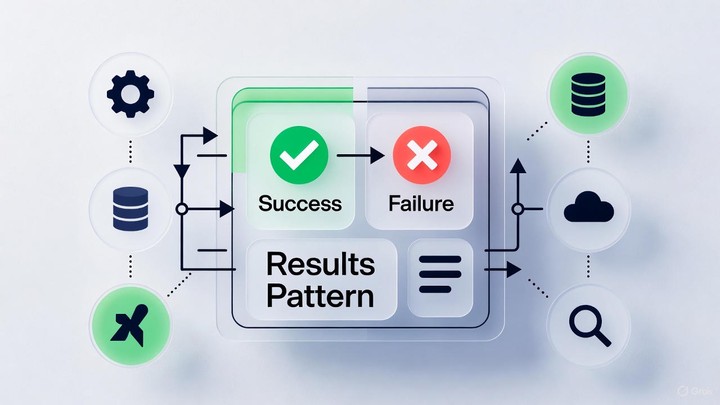
Most of us start out writing methods that either return a value or throw an exception. That works fine until you hit the kind of failures that happen every day in normal business code. A record is not found. A user enters an invalid email. A request is missing required fields. If you treat all of those as exceptions, your code ends up full of try/catch blocks and the caller has to guess what to handle.
The Result pattern is a straightforward alternative. Instead of returning a value on success and throwing (or returning null) on failure, you return a single object that represents the outcome. That outcome is either success (with a value) or failure (with information you can show to the caller). The nice part is that the method signature makes it obvious that failure is possible.
This also helps you draw a line between normal failures and real surprises. Normal failures are things like validation errors, missing records, or conflicts. Your application should be able to handle those and return a useful message. Real surprises are things like a broken dependency, corrupted state, or a bug. Those are still good candidates for exceptions.
The Result Object Concept
A Result object gives you a consistent way to represent operations that can fail for expected reasons. This is similar to what you already see in .NET with patterns like int.TryParse, where failure is a normal outcome and the API makes you deal with it.
The idea is that the method does not make the caller guess. If something can fail in a normal, expected way, the return value should make that clear. That is helpful for experienced developers, and it is especially helpful when you are still building intuition about where failures can happen.
Basically put, a Result object answers a few simple questions:
- Did the operation succeed?
- If it did, what is the value?
- If it didn’t, what went wrong?
In C#, you usually end up with two shapes:
- A non-generic
Resultfor operations that don’t return a value - A generic
Result<T>for operations that return aTwhen successful
Once you have that in place, you can be intentional about where exceptions are used. Save exceptions for things that are truly unexpected (a broken dependency, corrupted state, or a bug). Use Results for the normal failure paths that your app should be able to recover from and report back to the caller.
Benefits of Using the Result Pattern
The first benefit you will notice is that calling code becomes more honest. If a method can fail, the return type says so. That means a developer reading the code does not have to dig into docs or guess which exceptions might be thrown. They can follow the happy path, and right next to it, they can see how failures are handled.
The second benefit is consistency. Once you use Results across a part of your application (services, handlers, domain operations), everything starts to look the same: call something, check IsSuccess, then continue. That repetition is a good thing. It reduces mental overhead, makes code reviews easier, and helps junior developers build good habits.
A few practical reasons the Result pattern tends to stick once you adopt it:
- Explicit success/failure: Call sites can’t ignore failure paths as easily because they’re part of the return type.
- Fewer try/catch blocks: You typically reserve exceptions for truly exceptional cases, not “user typed a bad email address.”
- More consistent APIs: Methods read the same way across your codebase: call the method, check
IsSuccess, and continue. - Better composition: Results can be chained together (especially with helper methods) to create clear workflows.
- Testability: You can assert on “failure with message X” without needing to catch exceptions.
A Very Basic Result Implementation (and How to Use It)
Below is a minimal implementation that’s intentionally small. It is not meant to be a complete Result type for every scenario. It just shows the shape of the pattern.
public class Result
{
    public bool IsSuccess { get; }
    public string? Error { get; }

    protected Result(bool isSuccess, string? error)
    {
        IsSuccess = isSuccess;
        Error = error;
    }

    public static Result Success() => new(true, null);

    public static Result Failure(string error) => new(false, error);
}

public class Result<T> : Result
{
    public T? Value { get; }

    private Result(bool isSuccess, T? value, string? error)
        : base(isSuccess, error)
    {
        Value = value;
    }

    public static Result<T> Success(T value) => new(true, value, null);

    public static new Result<T> Failure(string error) => new(false, default, error);
}
And here’s a small example of using it in a service method:
public class UserService
{
    public Result<User> GetUserByEmail(string email)
    {
        if (string.IsNullOrWhiteSpace(email))
            return Result<User>.Failure("Email is required.");

        var user = FindUser(email); // pretend this hits a DB

        if (user is null)
            return Result<User>.Failure("User was not found.");

        return Result<User>.Success(user);
    }

    private User? FindUser(string email) => null;
}
At the call site, you make the happy path explicit and you keep the failure case right there next to it:
var result = userService.GetUserByEmail(inputEmail);

if (!result.IsSuccess)
    return Results.BadRequest(result.Error);

return Results.Ok(result.Value);
That’s the core payoff: you don’t have to guess what could go wrong or rely on exception types. The method communicates it directly.
FluentResults: A More Fully Built-Out Option
If you don’t want to build and maintain your own Result type, or you want something more feature-rich, take a look at the NuGet package FluentResults:
FluentResults goes beyond a single string error message and supports more advanced scenarios, such as:
- Multiple errors and successes (not just one)
- Typed error/reason objects (useful for mapping to problem details, error codes, etc.)
- Combining/merging results from multiple operations
- Metadata on results to attach additional context
- Fluent APIs for creating and transforming results
Those features can be a big win once you start modeling richer domain and validation flows.
Don’t Use Results for Everything
Results are a great tool, but you probably don’t want to wrap every method in your codebase in a Result<T>. The sweet spot is at the boundary of your business and workflow code. Places where you are coordinating steps, enforcing rules, and deciding what to do next. That is where failure is a normal outcome and you need to return something meaningful to the caller. Validation failures, domain rule violations, lookups that might not find anything, and external calls are all good examples.
Deeper inside your code, results can easily become noise. If you start returning Result<T> from simple calculations, collection transformations, pure functions, or internal helper methods, you end up threading success/failure checks through code that does not benefit from them. The result is lots of defensive branching (if (!result.IsSuccess) return result;) that makes the actual intent harder to see. It also encourages you to invent failure cases for things that should just work. Keep Results at the edges where decisions happen, and let the inner code stay clean, direct, and easy to read.
// Bad
Result<int> Add(int a, int b);

// Good
int Add(int a, int b);
Closing Thoughts
The Result pattern is one of those small structural choices that pays off over time. It nudges you toward explicit failure handling, keeps exceptions for the cases that are actually exceptional, and makes application flow easier to follow. Start with a tiny implementation to learn the shape of it, and if you outgrow it (or just don’t want the maintenance burden), FluentResults is a solid, production-ready option.

Alan P. Barber
Software Developer, Computer Scientist, Scrum Master, & Crohn’s Disease Fighter
I specialize in Software Development with a focus on Architecture and Design.